Risk disclosure: Independent research finds 70–84% of Polymarket traders lose money (Sergeenkov, April 2026; Akey et al., SSRN, March 2026). Forex CFDs: 70–85% retail loss rate. Binary options: 80%+ in most jurisdictions. AI agents don't change these baselines. Full disclaimer. Security context: Three critical CVEs disclosed in OpenClaw in Q1 2026 (CVE-2026-25253, CVE-2026-32922) plus the ClawHavoc supply-chain attack (1,184 malicious skills). Always run v2026.4.12 or later. Full security assessment.
Things break. APIs change, connections drop, keys expire, configurations drift. Every OpenClaw trader hits errors, and the difference between a frustrating day and a quick fix is knowing where to look. This guide is a practical troubleshooting reference for the common problems — organized so you can find your issue fast and resolve it. Bookmark it; you'll come back.
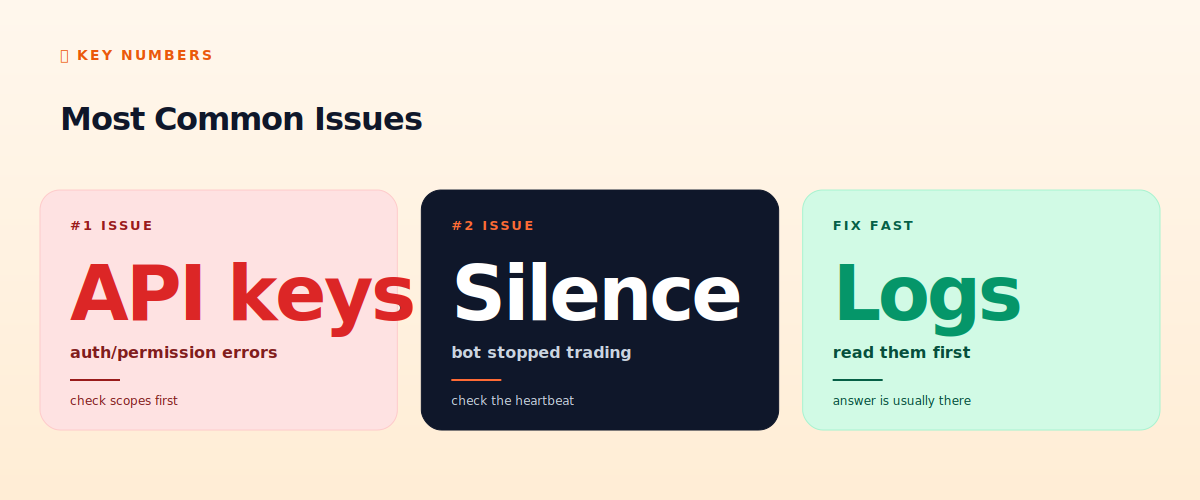
The golden rule before anything else: read the logs. The vast majority of problems announce themselves clearly in the logs if you actually look. Most 'mysterious' bot failures are explained in plain text you haven't read yet.
TL;DR — The 30-second answer
- Rule zero: read the logs first. The answer is usually right there.
- Most common issue: API key problems — wrong permissions or expired keys.
- Second most common: the bot silently stopped — check the heartbeat.
- Connection issues: RPC/exchange downtime, network drops, timeouts.
- Config drift: a setting changed and broke something. Check recent changes.
- When stuck: reproduce in paper mode, isolate the failing component.
Most common issues
Rule zero: read the logs
Before troubleshooting anything else, read your logs. This sounds obvious, but the most common mistake is panicking about a 'mysterious' failure that the logs explain in plain English. OpenClaw and your trading skills should log every significant action, error, and decision (if they don't, fix that first — see our monitoring guide). When something goes wrong, the logs almost always say what and when. Read them chronologically around the time of the problem. You'll resolve most issues here without further detective work.
API key problems (the #1 issue)
API key issues are the most frequent OpenClaw trading problem. Symptoms: authentication errors, 'permission denied,' orders rejected, or the bot unable to read account data. Causes and fixes:
- Wrong permissions: the key lacks trade permission (you need trade-enabled, but never withdrawal-enabled — see our wallet hygiene guide). Check and re-scope the key.
- Expired or revoked key: some exchanges expire keys. Regenerate and update the config.
- IP whitelist mismatch: if you whitelisted your bot's IP and it changed (VPS reboot, new instance), the key won't work. Update the whitelist.
- Key in the wrong place: keys should be in the OS keyring, not plain config. A misconfigured key path causes auth failures.
- Wrong environment: testnet key used on mainnet or vice versa.
The bot silently stopped (the #2 issue)
You realize the bot hasn't traded or alerted in hours. This is why the heartbeat is essential (see our Telegram guide) — its absence is your alarm. Common causes of silent stops: the process crashed (check if it's still running), the VPS rebooted (set the bot to restart on boot), an unhandled exception killed it (the logs will show the traceback), or the RPC/exchange connection dropped and the bot didn't reconnect. Fix: find why it stopped (logs), restart it, and add resilience (auto-restart, reconnection logic, the heartbeat that would have alerted you sooner).
Connection and network issues
Bots depend on network connections to exchanges, RPC providers, and LLM APIs — any can fail. Symptoms: timeouts, intermittent failures, 'connection refused.' Causes: exchange/RPC downtime (check their status pages), your VPS network issues, rate limiting (see our API errors guide), or LLM API outages. Fixes: implement retry logic with backoff (don't hammer a failing endpoint), use fallback RPC providers where possible, and ensure the bot handles disconnections gracefully rather than crashing. Transient network issues are normal; a well-built bot tolerates them.
Configuration drift
Sometimes a bot that worked yesterday breaks today with no code change — usually because a configuration changed (yours or an external one). Did you edit a setting? Did the exchange change its API? Did a skill update? Use version control (Git) for your skills and configs so you can see what changed and roll back (a key point in our developer guide). When something breaks 'mysteriously,' ask: what changed recently? The answer is usually there.
LLM-related issues
- LLM not responding / slow: API outage or rate limit. Check the provider's status; implement retries.
- Unexpected decisions: the LLM interpreted a prompt or skill differently than intended. Review and tighten your SKILL.md instructions.
- High costs: the bot is making too many or too expensive LLM calls. Review call frequency and model routing (see our cost guide).
- Parsing failures: the bot couldn't parse the LLM's output. Make your prompts request structured output, and handle parse failures gracefully.
The systematic troubleshooting approach
- Read the logs around the time of the problem. (Yes, again. It's that important.)
- Identify the failing component: is it the LLM, the exchange connection, the API key, the strategy logic, or the infrastructure?
- Reproduce in paper mode if possible — safer than debugging with live capital.
- Isolate: test the failing component alone (can you connect to the exchange? can you make an LLM call? does the key authenticate?).
- Fix and verify in paper mode before resuming live.
- Add resilience so the same failure doesn't recur silently (retries, heartbeat, auto-restart).
The honest verdict
Troubleshooting is part of running any bot — things break, and the skill is resolving issues quickly and adding resilience so they don't recur. The single most valuable habit is reading the logs first; most problems are explained there. The most common issues are API keys (check permissions and expiry) and silent stops (the heartbeat is your alarm). Approach problems systematically: logs, isolate the component, reproduce safely, fix, verify, harden. A bot that breaks and you fix quickly is normal; a bot that breaks silently and you don't notice for days is a monitoring failure — which is why the heartbeat and logging from our setup guides matter so much. Build observability in, and troubleshooting becomes manageable rather than mysterious.
📧 Get every new tutorial in your inbox
One email per week. Tutorials, CVE disclosures, broker updates. Unsubscribe in one click.
(Connect FluentCRM / ConvertKit / Beehiiv form here)
Frequently asked questions
What should I check first when my bot breaks?
The logs. The vast majority of problems are explained there in plain text. Read them chronologically around the time of the issue before any other troubleshooting.
What's the most common OpenClaw problem?
API key issues — wrong permissions (need trade, never withdrawal), expired keys, IP whitelist mismatches, or keys in the wrong place. Check the key first for auth errors.
My bot stopped trading silently — why?
Common causes: the process crashed, the VPS rebooted, an unhandled exception, or a dropped connection. This is why the heartbeat matters — its absence is your alarm. Check logs, restart, add resilience.
How do I handle connection failures?
Implement retry logic with backoff, use fallback RPC providers where possible, and ensure the bot reconnects gracefully rather than crashing. Transient network issues are normal.
Why did a working bot suddenly break?
Usually configuration drift — a setting changed, the exchange changed its API, or a skill updated. Use Git for configs so you can see what changed and roll back.
What to read next
- Debugging a Trading Bot That Isn't Trading
- API Errors Explained
- Telegram Bot Integration
- Common OpenClaw Mistakes
Sources cited: The Hacker News (CVE-2026-25253 disclosure, Feb 2026); Conscia 2026 OpenClaw Security Crisis advisory; Snyk ToxicSkills study; Cyber Press ClawHavoc reporting; Wall Street Journal Polymarket profitability analysis (May 2026); Andrey Sergeenkov via The Defiant (April 2026); Akey, Grégoire, Harvie & Martineau, SSRN paper (March 2026); openclaw.ai official advisories; Peter Steinberger public statements on X. OpenClaw operational best practices; common bot failure modes.