Risk disclosure: Independent research finds 70–84% of Polymarket traders lose money (Sergeenkov, April 2026; Akey et al., SSRN, March 2026). Forex CFDs: 70–85% retail loss rate. Binary options: 80%+ in most jurisdictions. AI agents don't change these baselines. Full disclaimer. Security context: Three critical CVEs disclosed in OpenClaw in Q1 2026 (CVE-2026-25253, CVE-2026-32922) plus the ClawHavoc supply-chain attack (1,184 malicious skills). Always run v2026.4.12 or later. Full security assessment.
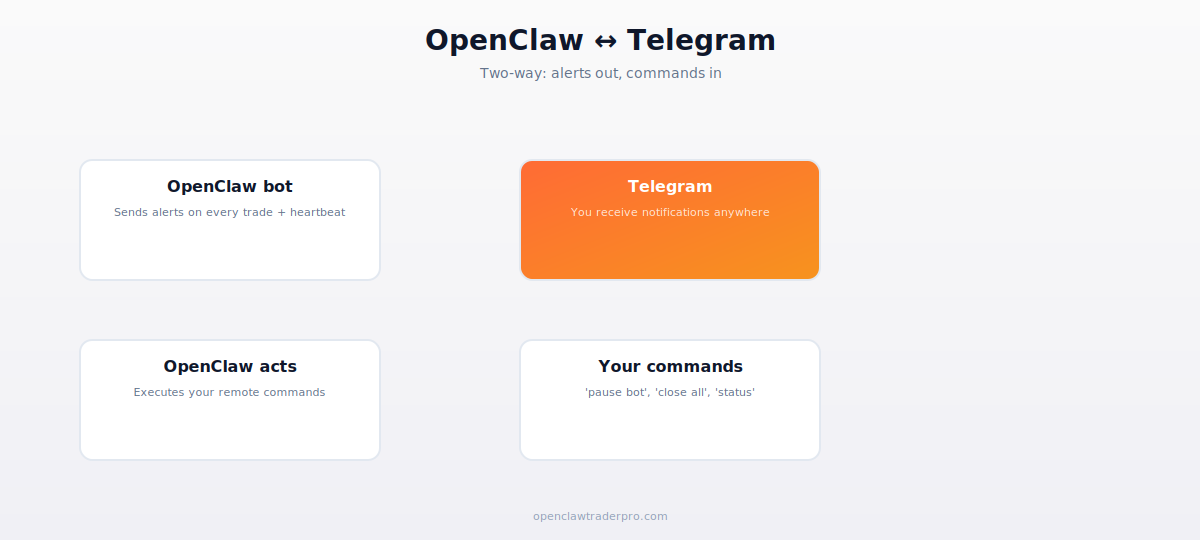
A trading bot you can't monitor is a trading bot waiting to fail silently. Telegram integration gives your OpenClaw bot a voice — it sends you alerts on every trade, heartbeat pings to confirm it's alive, and accepts commands so you can pause, check status, or close positions from your phone anywhere in the world.
This guide covers two-way Telegram integration: alerts out (notifications) and commands in (remote control). Setup takes about 30 minutes.
TL;DR — The 30-second answer
- Telegram is the standard alerting channel for OpenClaw bots — free, reliable, instant.
- Alerts out: every trade, daily P&L, errors, and heartbeat pings.
- Commands in: 'status', 'pause', 'close all' from your phone.
- Requires a Telegram bot token (free, from @BotFather) and your chat ID.
- The heartbeat ping is critical — it tells you when the bot has stopped.
- Setup: ~30 minutes with the bundled telegram skill.
Two-way communication
Why Telegram specifically
Telegram is the de facto standard for bot alerting because it's free, has a clean bot API, delivers messages instantly, works on every device, and doesn't rate-limit reasonable usage. Alternatives exist (Discord, email, SMS via Twilio) but Telegram hits the sweet spot of reliability, cost, and ease. OpenClaw ships with a bundled telegram skill.
Step 1 — Create your Telegram bot
In Telegram, message @BotFather. Send /newbot, give it a name and username. BotFather returns a bot token (looks like 123456:ABC-DEF...). Save this — it's how OpenClaw authenticates to send messages. Treat it like a password; anyone with it can send messages as your bot.
Step 2 — Get your chat ID
Your bot needs to know where to send messages — your chat ID. Message your new bot anything, then visit https://api.telegram.org/bot[YOUR_TOKEN]/getUpdates in a browser. Find the "chat":{"id":...} value — that's your chat ID. Save it alongside the token.
Step 3 — Configure OpenClaw
openclaw config set telegram.bot_token YOUR_TOKEN
openclaw config set telegram.chat_id YOUR_CHAT_ID
The token goes into the OS keyring, not plain text. Test it: openclaw chat "send me a test telegram message". You should receive it within a second or two. If not, recheck the token and chat ID.
Step 4 — Configure alerts in your trading skills
In your trading SKILL.md files, add Telegram notifications at key moments:
- On every trade placement: 'Placed BUY 0.01 BTC at $X. Position size: $Y. Daily P&L: $Z.'
- On every fill: confirmation that the order executed.
- On errors: 'API error on Binance: rate limited. Retrying.'
- On guardrail triggers: 'Daily loss limit hit (-5%). Halting trading.'
- On daily summary: end-of-day P&L, number of trades, current positions.
Step 5 — The critical heartbeat
The single most important alert is the heartbeat. Set up a cron job or OpenClaw heartbeat that sends 'OpenClaw alive — [timestamp]' every 60 minutes. Why this matters: bots fail silently. If your bot crashes, the RPC times out, or the VPS reboots, you won't get an error — you'll get nothing. The heartbeat's absence is the alarm. If you stop receiving heartbeats, something is wrong, and you can investigate before it costs you.
The heartbeat is your dead-man's switch. A bot that stops trading silently can be as costly as one that misfires — positions left unmanaged, stops not honored. Configure the heartbeat first, before any other alert. It's the difference between catching a failure in an hour versus a day.
Step 6 — Inbound commands (remote control)
OpenClaw can also receive commands via Telegram. With the telegram channel enabled for input, you can message your bot:
- 'status': bot replies with current positions, daily P&L, uptime.
- 'pause': bot stops placing new trades (existing positions remain).
- 'resume': bot resumes trading.
- 'close all': bot closes all open positions immediately (your panic button).
Security note: ensure only your chat ID can issue commands. Validate the sender's chat ID on every inbound message. An attacker who could message your bot and issue 'close all' or worse is a real risk — lock it to your ID only.
The 'close all' panic button
Configure a 'close all' command that immediately flattens every position across every venue. When a flash crash hits or you realize something's wrong, you want to exit fast from your phone without SSHing into the VPS. This is your emergency stop — test it in paper mode so you know it works before you need it for real.
📧 Get every new tutorial in your inbox
One email per week. Tutorials, CVE disclosures, broker updates. Unsubscribe in one click.
(Connect FluentCRM / ConvertKit / Beehiiv form here)
Frequently asked questions
Is Telegram integration free?
Yes. Telegram's bot API is free with no meaningful rate limits for personal alerting.
What's the most important alert?
The heartbeat. Its absence tells you the bot has stopped — which can be as costly as misfiring. Configure it first.
Can attackers control my bot via Telegram?
Only if you don't validate the sender. Lock command processing to your chat ID only. Never accept commands from unknown IDs.
Can I use Discord instead?
Yes, via a Discord skill. Telegram is more common for bot alerting, but Discord works similarly.
What should 'close all' do?
Immediately flatten every position across every venue — your emergency stop. Test it in paper mode before relying on it.
What to read next
- Pine Script + OpenClaw Webhook
- The 12-Point Hardening Checklist
- What Is OpenClaw?
- Manual vs Automated Trading
Sources cited: The Hacker News (CVE-2026-25253 disclosure, Feb 2026); Conscia 2026 OpenClaw Security Crisis advisory; Snyk ToxicSkills study; Cyber Press ClawHavoc reporting; Wall Street Journal Polymarket profitability analysis (May 2026); Andrey Sergeenkov via The Defiant (April 2026); Akey, Grégoire, Harvie & Martineau, SSRN paper (March 2026); openclaw.ai official advisories; Peter Steinberger public statements on X. Telegram Bot API documentation; OpenClaw telegram skill docs.