Risk disclosure: Independent research finds 70–84% of Polymarket traders lose money (Sergeenkov, April 2026; Akey et al., SSRN, March 2026). Forex CFDs: 70–85% retail loss rate. Binary options: 80%+ in most jurisdictions. AI agents don't change these baselines. Full disclaimer. Security context: Three critical CVEs disclosed in OpenClaw in Q1 2026 (CVE-2026-25253, CVE-2026-32922) plus the ClawHavoc supply-chain attack (1,184 malicious skills). Always run v2026.4.12 or later. Full security assessment. Affiliate disclosure: Links to brokers (Exness, Deriv, Binance, Bybit, OKX, IQ Option, Pocket Option, Quotex) may earn us a referral commission. Your costs don't change. Our ratings don't either.
TradingView is the charting and analysis backbone for most serious traders, and it integrates cleanly with OpenClaw via webhooks. This guide covers the complete setup for OpenClaw traders: which plan you actually need, how to configure indicators and alerts, and how to avoid paying for features you won't use.
Whether you're using TradingView purely for analysis or as a signal source for your bots, this guide gets you configured efficiently.
TL;DR — The 30-second answer
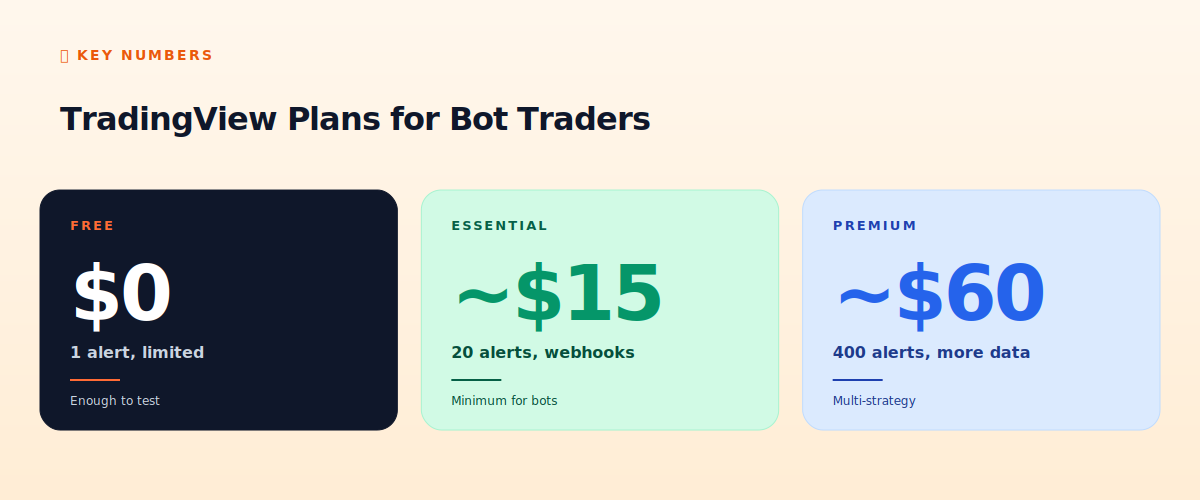
- Free tier: good for charting and learning. 1 alert, no webhooks.
- Essential (~$15/mo): the minimum for bot integration (20 alerts + webhooks).
- Premium (~$60/mo): for multi-strategy operators (400 alerts, more data).
- Key features for bots: webhook alerts, Pine Script, multi-timeframe.
- Skip: the social features and most premium indicators if you're bot-focused.
- Setup time: about 30 minutes to a working analysis + alert config.
Which plan do you need?
TradingView's pricing tiers (which shift periodically, so check current rates) break down roughly: Free, Essential, Plus, and Premium. For OpenClaw bot traders, the decision is simple:
- Free: excellent for charting, analysis, and learning Pine Script. But only 1 alert and no webhooks — you can't connect it to OpenClaw for automated signals. Fine for manual analysis.
- Essential (~$15/mo): the practical minimum for bots. 20 active alerts, webhook support, no ads. This is where most OpenClaw traders should start.
- Plus / Premium (~$30-60/mo): more alerts (100-400), more data, second-based intervals. Worth it only if you're running multiple strategies that need many simultaneous alerts.
Setting up your charts
For bot-focused use, keep charts simple. Add only the indicators your strategy actually uses — cluttered charts with 15 indicators are for discretionary traders convincing themselves they have an edge. A clean chart with your 2-3 strategy indicators (e.g., RSI, a moving average, volume) is all you need to validate what your Pine Script is doing.
Use multiple timeframe tabs: one for the timeframe your strategy trades, one higher for context. Save your layout so you don't reconfigure each session.
Configuring indicators
TradingView has thousands of community indicators. For bot traders, you'll mostly use the built-in standard indicators (RSI, MACD, moving averages, Bollinger Bands) plus any custom Pine Script you write. Be skeptical of exotic community indicators promising magic signals — most are curve-fit to past data. Stick to well-understood standards.
Setting up alerts
Alerts are how TradingView talks to OpenClaw. To create one: right-click the chart → Add Alert. Set the condition (a price level, an indicator crossover, or your custom alertcondition()). Critically, set the trigger to 'Once Per Bar Close' for most strategies — this avoids intra-bar noise where an alert fires and then un-fires as the bar develops.
In the Notifications tab, enable Webhook URL and point it at your OpenClaw endpoint. Format the alert message as JSON for clean parsing. See our Pine Script + OpenClaw guide for the full webhook setup.
Pine Script basics for OpenClaw users
You don't need to be a Pine Script expert to use TradingView with OpenClaw, but knowing the basics helps. The essentials: indicator() or strategy() declaration, accessing price data (close, high, low), built-in functions (ta.rsi(), ta.sma(), ta.crossover()), and alertcondition() to generate signals. The language is well-documented and beginner-friendly — you can write a working signal indicator in 15-20 lines.
What to skip
For bot-focused use, ignore: the social/ideas features (entertaining but not useful for automation), most paid premium indicators (curve-fit), the broker integrations if you're routing through OpenClaw, and the higher tiers unless you genuinely need 100+ simultaneous alerts. Start with Essential, upgrade only when you hit its limits.
📧 Get every new tutorial in your inbox
One email per week. Tutorials, CVE disclosures, broker updates. Unsubscribe in one click.
(Connect FluentCRM / ConvertKit / Beehiiv form here)
Frequently asked questions
Is the free TradingView plan enough?
For manual charting and analysis, yes. For connecting to OpenClaw (which needs webhooks), no — you need Essential ($15/mo) or higher.
Which plan for a single bot?
Essential. 20 alerts and webhook support cover a single-strategy bot comfortably.
Do I need to learn Pine Script?
Not deeply. Basic Pine Script (15-20 lines) lets you generate custom signals. The language is beginner-friendly.
Are premium indicators worth it?
Usually not. Most exotic indicators are curve-fit. Stick to standard built-in indicators (RSI, MACD, MAs).
Can I downgrade later?
Yes, anytime. Start with Essential, upgrade only if you hit alert limits with multiple strategies.
What to read next
- Pine Script + OpenClaw Webhook
- TradingView vs MetaTrader
- Best Free Trading Tools
- Telegram Bot Integration
Sources cited: The Hacker News (CVE-2026-25253 disclosure, Feb 2026); Conscia 2026 OpenClaw Security Crisis advisory; Snyk ToxicSkills study; Cyber Press ClawHavoc reporting; Wall Street Journal Polymarket profitability analysis (May 2026); Andrey Sergeenkov via The Defiant (April 2026); Akey, Grégoire, Harvie & Martineau, SSRN paper (March 2026); openclaw.ai official advisories; Peter Steinberger public statements on X. TradingView documentation and pricing pages.