Risk disclosure: Independent research finds 70–84% of Polymarket traders lose money (Sergeenkov, April 2026; Akey et al., SSRN, March 2026). Forex CFDs: 70–85% retail loss rate. Binary options: 80%+ in most jurisdictions. AI agents don't change these baselines. Full disclaimer. Security context: Three critical CVEs disclosed in OpenClaw in Q1 2026 (CVE-2026-25253, CVE-2026-32922) plus the ClawHavoc supply-chain attack (1,184 malicious skills). Always run v2026.4.12 or later. Full security assessment.
A specific, common, and confusing situation: your OpenClaw bot is running — the process is alive, no errors — but it's not placing any trades. Is it broken? Is it working correctly and just waiting? Is a guardrail blocking it? This guide is a systematic checklist for diagnosing the silent non-trading bot, which is often misdiagnosed because 'no trades' can mean either 'correctly waiting' or 'silently broken.'
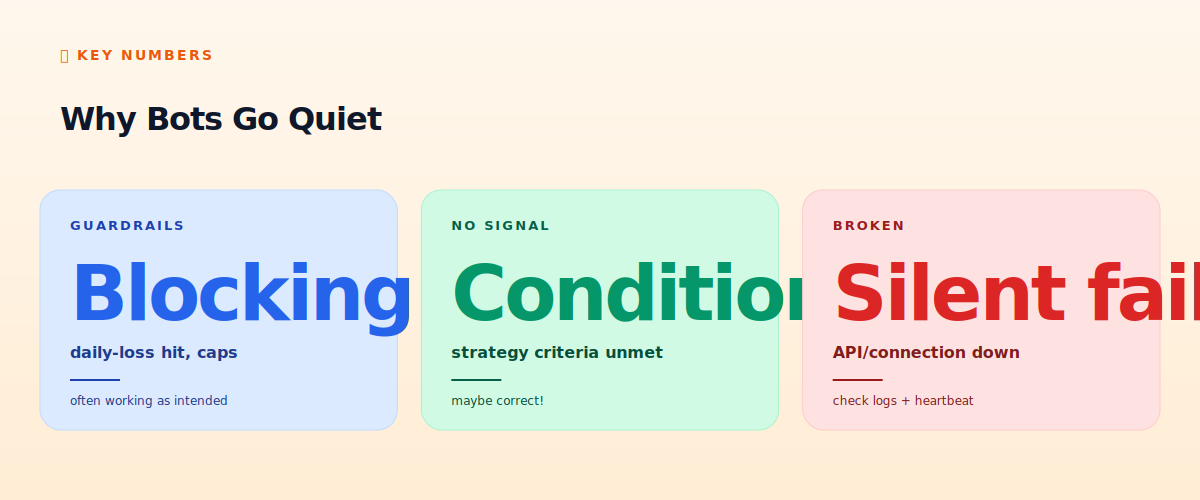
The key insight up front: a bot not trading is frequently correct behavior — guardrails blocking, or strategy conditions simply not being met. Don't assume it's broken. Diagnose which of the three states it's in before 'fixing' something that isn't wrong.
TL;DR — The 30-second answer
- Three possibilities: guardrails blocking, no signal (correct!), or silently broken.
- Don't assume broken: 'no trades' is often correct behavior, not a bug.
- Check guardrails first: daily-loss limit hit? Position caps reached? Often intended.
- Check signal conditions: are your strategy's entry criteria actually being met?
- Then check for breakage: API failing silently? Connection down? Logs will show.
- The heartbeat distinguishes 'alive but quiet' from 'dead' — check it.
Why bots go quiet
First: is it alive or dead?
Before anything, distinguish 'alive but not trading' from 'dead.' Check the heartbeat (see our Telegram guide): if heartbeats are arriving, the bot is alive and the non-trading is a logic/condition question. If no heartbeats, the bot is dead — that's a different problem (crash, reboot, exception — see our troubleshooting guide). This first split saves you from looking for trading-logic bugs when the process actually crashed. Assuming a heartbeat confirms it's alive, proceed to the three possibilities.
Possibility 1: guardrails are blocking (often intended)
Your guardrails are designed to prevent trading under certain conditions — and when they trigger, the bot correctly stops trading. This is frequently the answer, and it's the bot working as designed, not a bug. Check:
- Daily-loss limit hit: if your kill-switch halted trading after a drawdown, no new trades is correct — that's the guardrail protecting you (see our hardening checklist).
- Position-size caps reached: if you're already at max exposure, the bot won't add more. Intended.
- Approved-symbol/time restrictions: if the bot only trades certain pairs or during certain sessions (see our forex guide), it stays idle otherwise.
- Insufficient balance: the bot can't trade with funds it doesn't have. Check the account balance.
Read your logs — a well-built bot logs why it's not trading ('daily loss limit reached, halting' or 'already at max position'). If a guardrail is blocking, the bot is doing its job. Don't 'fix' it by removing the guardrail; that defeats the safety it provides.
Possibility 2: no signal (maybe correct!)
Your strategy has entry conditions, and if those conditions aren't being met, the bot correctly does nothing. This is the most under-appreciated reason for a quiet bot: the market simply isn't presenting your setup. A momentum bot in a ranging market won't find trends to trade; a mean-reversion bot in a trend won't find clean reversions; a breakout bot waits for breakouts that may not come for days. Patience is part of many strategies — a bot that trades constantly is often over-trading. Check: are your entry conditions actually being met right now? If your strategy needs RSI below 30 and it's at 50, no trade is correct. The logs should show the bot evaluating and declining ('conditions not met, no entry'). A quiet bot in the wrong market regime is usually behaving correctly.
Possibility 3: silently broken
Only after ruling out guardrails and no-signal should you suspect actual breakage. Silent failures that prevent trading:
- API calls failing quietly: the bot tries to read prices or place orders, the calls fail, but the error is swallowed rather than logged/handled. Check for caught-but-ignored exceptions.
- Data feed stale: the bot is acting on old data because the price feed stopped updating — it sees no new conditions because it sees no new data.
- Logic bug: a condition that can never be true (an off-by-one, a wrong comparison) means the entry never triggers. Test the logic in isolation.
- Order placement failing: the bot decides to trade but the order is rejected (size, balance, permissions) and the failure isn't surfaced.
The fix for silent breakage is better observability: ensure every API call, decision, and failure is logged. A bot that fails silently is a bot you can't debug — make it loud about what it's doing and why.
The diagnostic checklist
- Heartbeat alive? No → it's dead, not quiet (see troubleshooting guide). Yes → continue.
- Guardrail blocking? Check daily-loss, position caps, restrictions, balance. Logs should say. If yes, it's working as intended.
- Conditions met? Are your strategy's entry criteria actually true right now? If not, no trade is correct.
- Data fresh? Is the price feed updating? Stale data = no new conditions seen.
- API working? Test reading prices and (in paper) placing an order. Isolate failures.
- Logic sound? Could a bug make the entry condition impossible? Test in isolation.
The honest verdict
A bot that isn't trading is one of the most commonly misdiagnosed situations, because 'no trades' looks like a problem but is frequently correct behavior — guardrails protecting you or market conditions simply not matching your strategy. Resist the urge to assume it's broken and start 'fixing.' Instead, diagnose systematically: confirm it's alive (heartbeat), check whether guardrails are blocking (often intended), check whether your conditions are met (no signal is often correct), and only then look for silent breakage. Good logging makes this easy — a well-built bot tells you exactly why it's not trading. Often the most reassuring discovery is that your quiet bot is simply being patient and disciplined, which is exactly what you want it to be.
📧 Get every new tutorial in your inbox
One email per week. Tutorials, CVE disclosures, broker updates. Unsubscribe in one click.
(Connect FluentCRM / ConvertKit / Beehiiv form here)
Frequently asked questions
My bot is running but not trading — is it broken?
Often not. 'No trades' frequently means guardrails are blocking (intended) or your strategy's conditions aren't being met (correct). Diagnose which of three states it's in before assuming breakage.
How do I know if it's alive or dead?
Check the heartbeat. Heartbeats arriving = alive (a logic/condition question). No heartbeats = dead (crash, reboot, exception) — a different problem.
Could a guardrail be stopping my bot?
Yes, frequently — daily-loss limit hit, position caps reached, symbol/time restrictions, or insufficient balance. This is the bot working as designed. Logs should say so; don't remove the guardrail.
Why would a working strategy place no trades?
The market isn't presenting your setup. A momentum bot in a range, or a breakout bot waiting for a breakout, correctly does nothing. Patience is part of many strategies.
What does silent breakage look like?
API calls failing quietly, stale data feeds, a logic bug making entry impossible, or order placements failing unsurfaced. The fix is better logging so failures are loud, not swallowed.
What to read next
- OpenClaw Troubleshooting
- API Errors Explained
- The 12-Point Hardening Checklist
- The Definitive Pre-Live Checklist
Sources cited: The Hacker News (CVE-2026-25253 disclosure, Feb 2026); Conscia 2026 OpenClaw Security Crisis advisory; Snyk ToxicSkills study; Cyber Press ClawHavoc reporting; Wall Street Journal Polymarket profitability analysis (May 2026); Andrey Sergeenkov via The Defiant (April 2026); Akey, Grégoire, Harvie & Martineau, SSRN paper (March 2026); openclaw.ai official advisories; Peter Steinberger public statements on X. bot debugging methodology; OpenClaw operational patterns.